


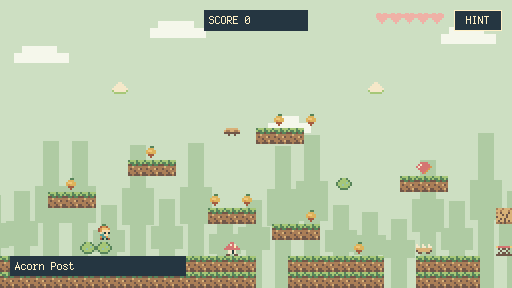
A TINY CREATIVE CHALLENGE
Make the enemy your only way home.
A constraint can be a very good starting point.
Draw your characters. Build their world. Give it a little magic.
Make and share pixel-art games, right in your browser.
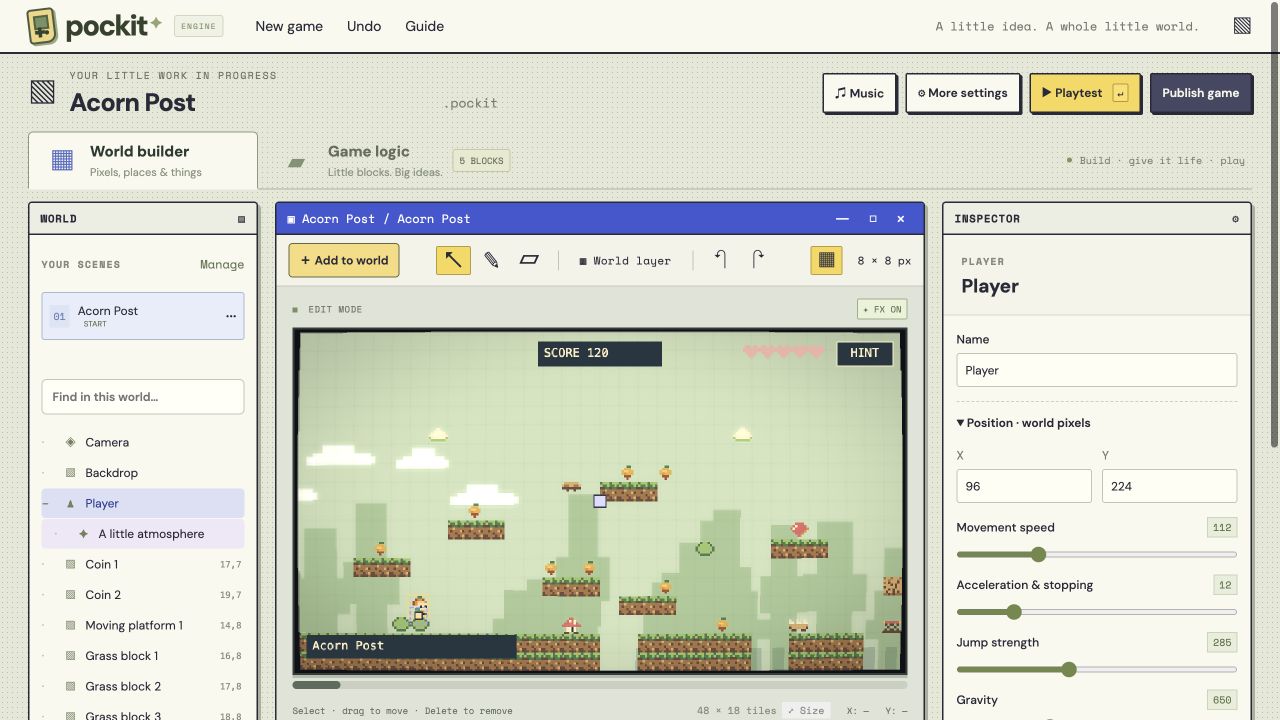
A place for every little thing. Paint your world, select a sprite, and make it your own in the Inspector.
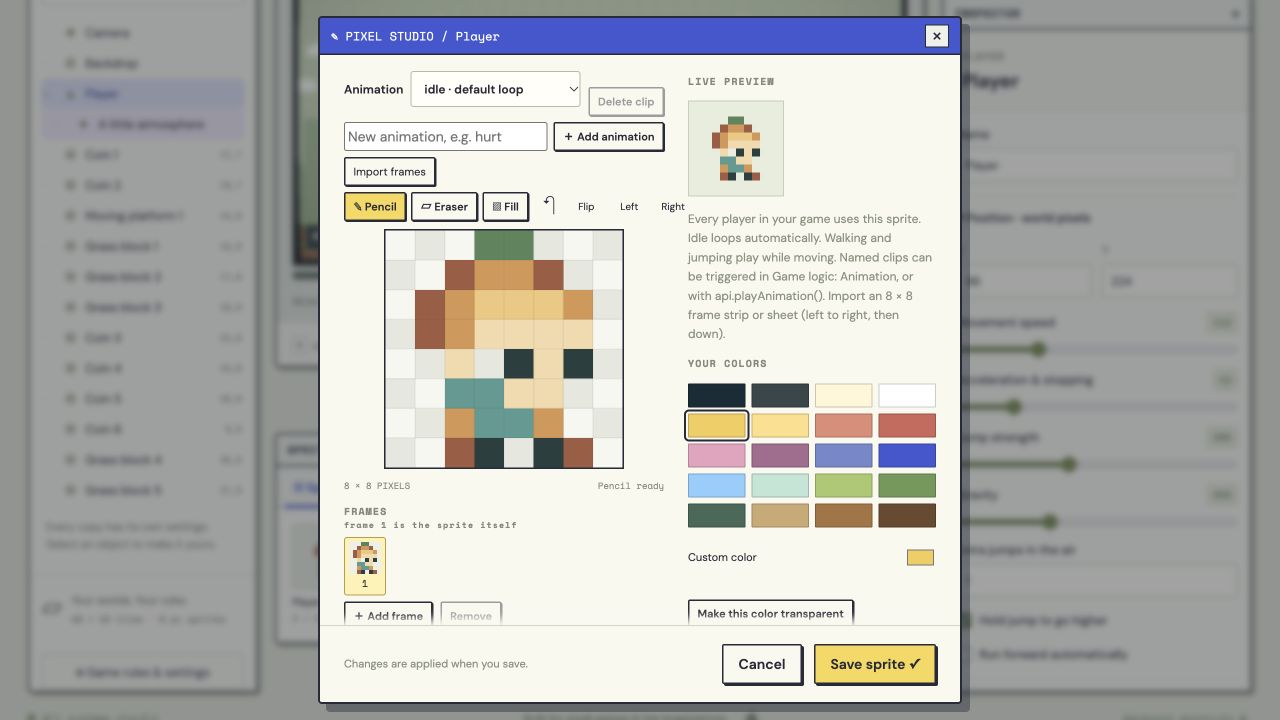
Every pixel has a part to play. Built-in drawing and animation tools keep everything in one place.
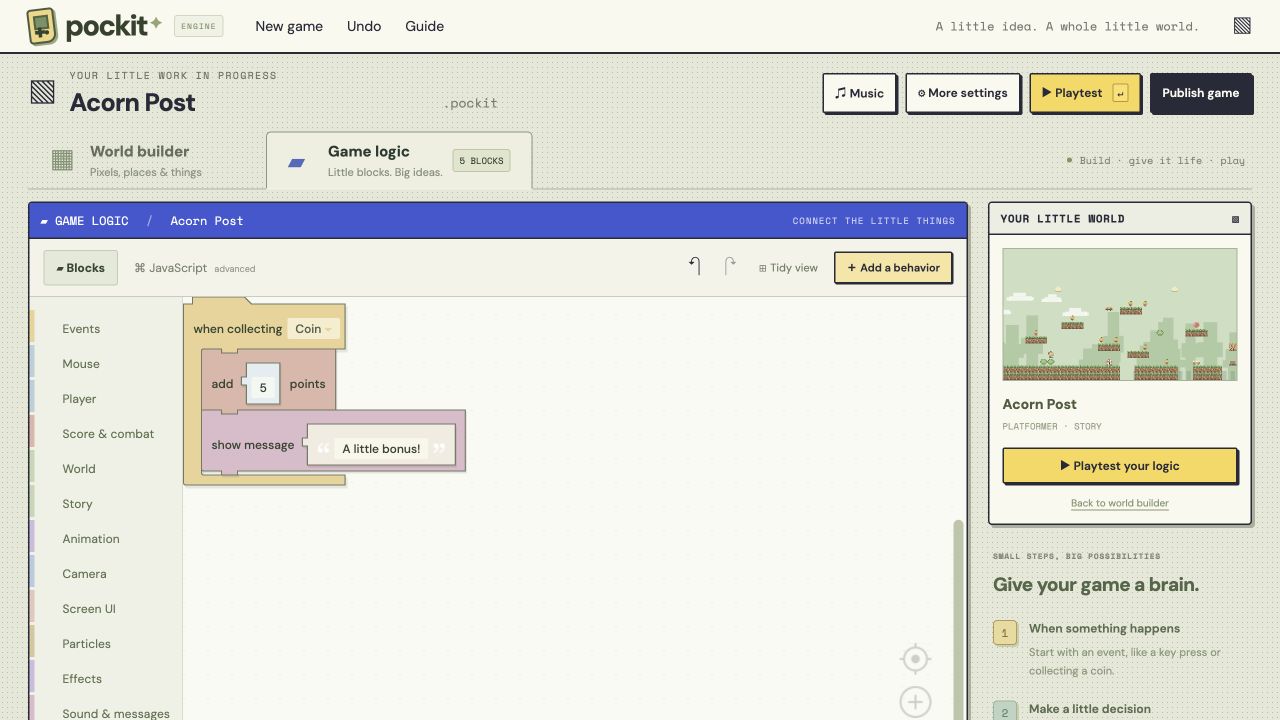
When this happens, do a little magic. Connect visual blocks or start with 90 ready-to-edit behaviors.
Scroll through the same small steps you’ll take inside Pockit.
Start blank or borrow a template. Draw an 8 × 8 character, animate a walk, and paint the first place they can explore.
Pixel Studio · sprite packs · tilesetsPick a ready-made behavior and change it. Add a dash, a conversation, a secret door, or a little shower of particles.
Visual blocks · 90+ behaviors · playtestFinish the title screen, choose how your arcade page feels, and publish a link that friends can play in their browser.
Game pages · arcade · instant sharingA few worlds to explore before you make your own.
Opening the arcade…
Mix a game, a place, and a wonderfully odd twist.
Keep what you love. Roll the rest.
Lock a card to keep it. Your imagination does the rest.
A constraint can be a very good starting point.
Start blank or pick from 10 curated templates. The world lives on the left, your canvas in the middle, and the settings for what you select on the right. A small, familiar space for a growing idea.
Find your way with the Maker’s GuideDraw 8 × 8 sprites, animate them, or import a tileset. Paint levels, group objects, and give each copy its own traits.
Explore art toolsStart with 90 editable behavior templates. Connect visual blocks for power-ups, puzzles, enemies, and your own ideas.
Meet visual blocksWrite conversations, choices, and cutscenes. Pan the camera, cue an animation, and frame the moment with cinematic bars.
Explore story toolsSoft lights, shadows, water reflections, rain, and trails. Add your music and sound effects, then tune the camera and color.
Create an atmosphereArrange title screens, pause menus, level selects, and credits. Add buttons, hearts, and meters that your blocks can control.
Build your game screensSave privately to your account. Customize your game’s arcade page, publish when you’re ready, and share a link to play.
See how publishing worksWorks in progress, finished adventures, and your next big little idea.